
Modern Databricks Development Setup with Asset Bundles
19. July 2026
Databricks development no longer has to happen only inside notebooks. With Asset Bundles, local Python development, reproducible environments, automated tests, and CLI-based deployments fit naturally into a modern software engineering workflow. This post introduces a small open-source reference project that demonstrates the complete flow.
What is Databricks
Databricks is a unified data and AI platform where teams can build data pipelines, run analytics, and develop machine learning workflows in one place. It combines scalable compute with tools for SQL, Python, and notebook-based collaboration.
In practice, it helps data engineers, analysts, and data scientists work on the same platform with shared governance, cataloging, and orchestration capabilities.
What are Databricks Asset Bundles?
Databricks Asset Bundles let you define Databricks jobs, pipelines, schemas, permissions, and deployment targets as code. Instead of configuring resources manually in the web interface, the project keeps infrastructure and application code together in Git.
In this repository, the bundle deploys:
- A Lakeflow Declarative Pipeline
- A multi-task Databricks Job
- A Unity Catalog schema
- A Python wheel artifact
- Separate development and production targets
Development mode automatically isolates resources per developer, which makes the same codebase safe to use in a shared workspace.
Set Up Databricks Free Edition to Play with the Code
The project can be deployed with Databricks Free Edition, so readers can try the full workflow without an enterprise account.

After signing in, the Databricks web application gives you access to Jobs, Lakeflow Pipelines, Unity Catalog, and serverless compute.
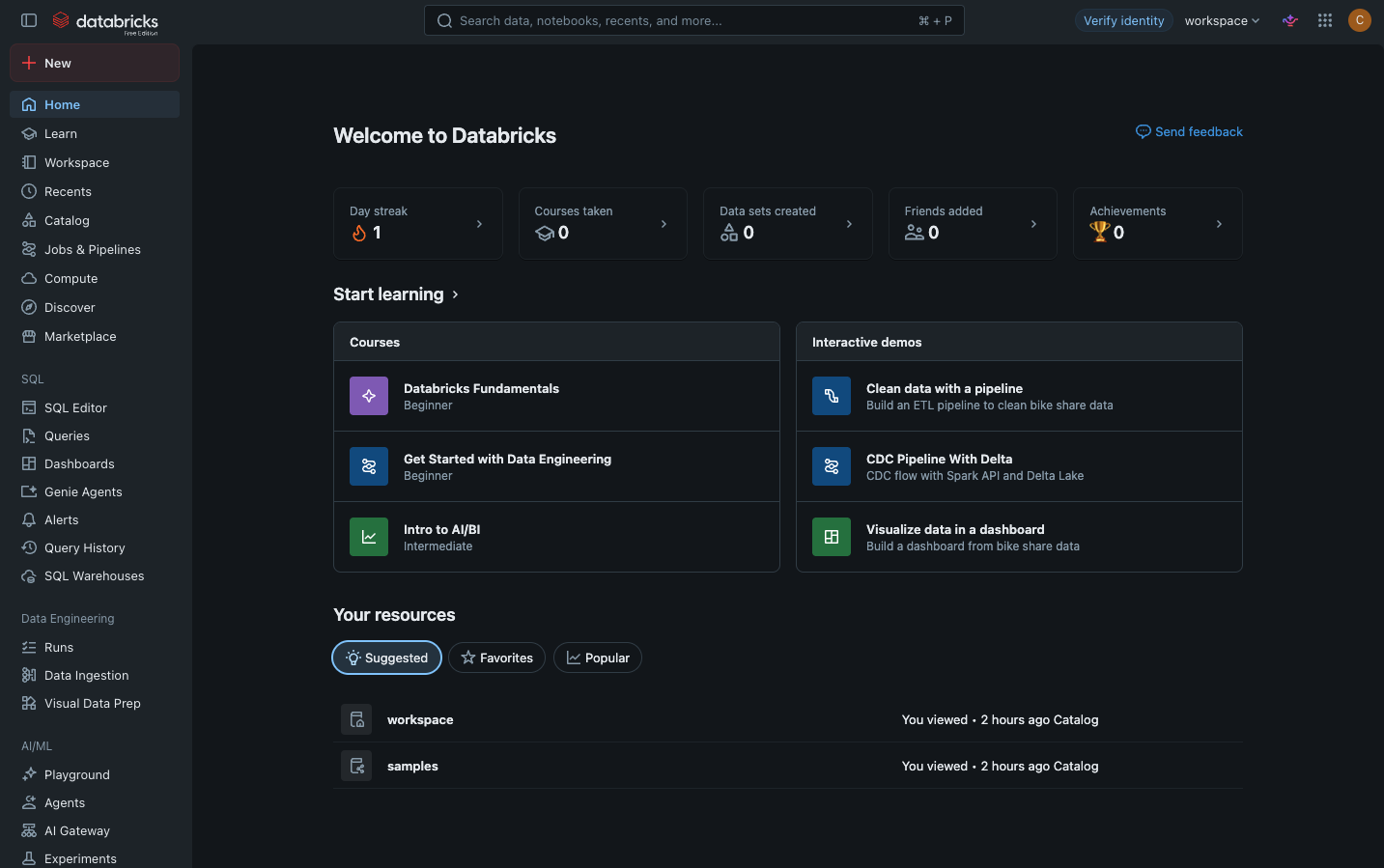
Databricks web application after signing in
Download the Code from GitHub
The complete project for this article is available in the databricks_learning_lab GitHub repository.
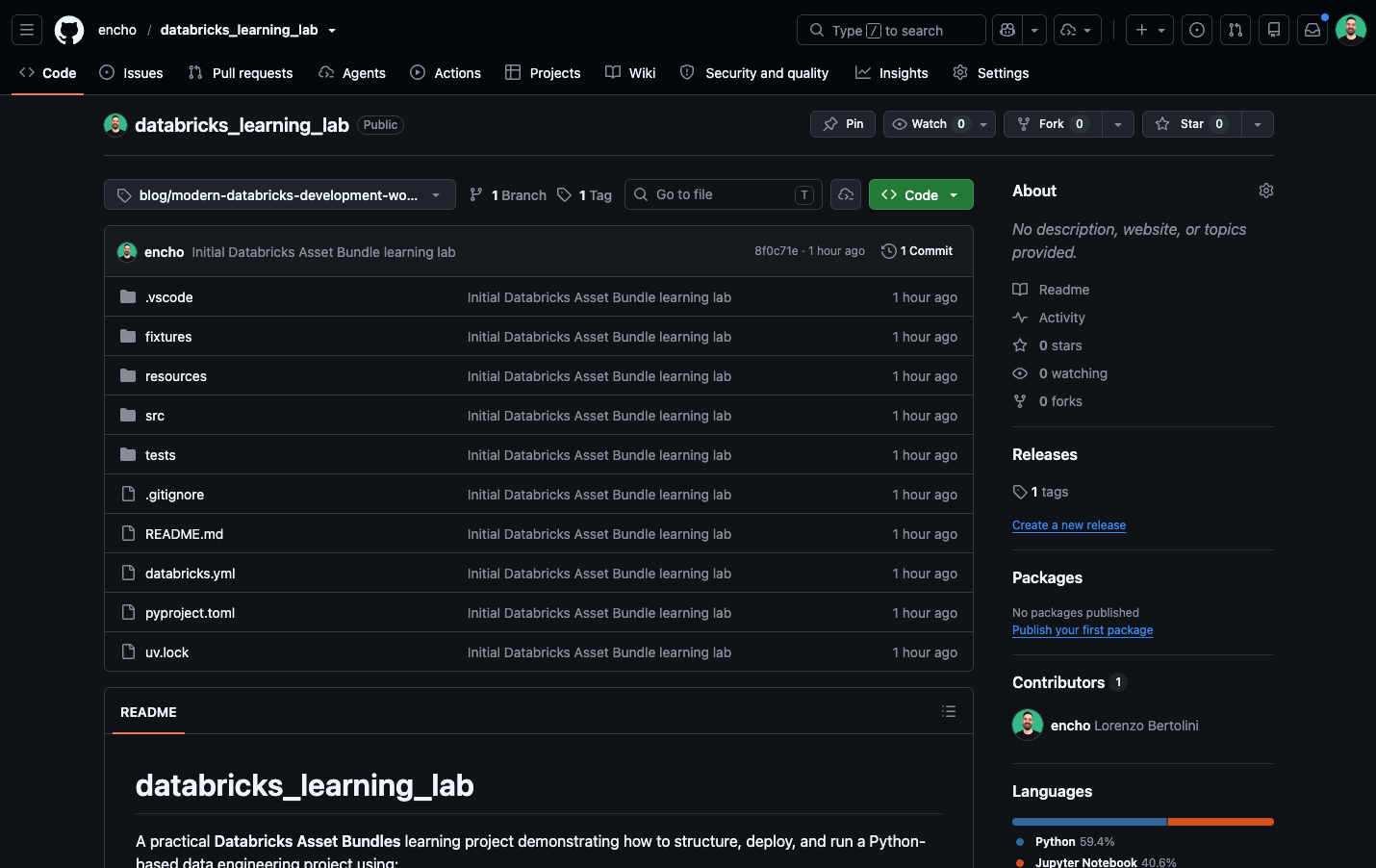
To reproduce the exact version used for this article, clone the repository and check out the dedicated blog tag:
> git clone https://github.com/encho/databricks_learning_lab.git
> cd databricks_learning_lab
> git checkout blog/modern-databricks-development-workflow
Brief Description of the Code for this Blog Article
The checked out branch contains a small Databricks project that demonstrates the complete workflow. It includes a Job, a Lakeflow Pipeline, and a Python wheel that reads the NYC Taxi sample dataset.
Notebook task
The notebook receives the target catalog and schema as Job parameters and configures the Spark session:
catalog = dbutils.widgets.get("catalog")
schema = dbutils.widgets.get("schema")

spark.sql(f"USE CATALOG {catalog}")
spark.sql(f"USE SCHEMA {schema}")
Python wheel task
Shared Python code is packaged as a wheel and executed through a command line entry point:
def find_all_taxis() -> DataFrame:
    return spark.read.table("samples.nyctaxi.trips")
Lakeflow pipeline
The pipeline declares managed datasets with the
@dp.table decorator:@dp.table
def sample_trips_databricks_learning_lab():
return spark.read.table("samples.nyctaxi.trips")Databricks discovers these declarations, builds the dependency graph, and manages execution, lineage, and monitoring.
Prepare the Project Before Running It
The project uses uv to create the virtual environment and install the locked dependencies. Before deploying, run the local quality checks:
> uv sync --dev
> uv run ruff check .
> uv run ruff format --check .
Run the automated pytest tests:
> uv run pytestThe test suite uses pytest together with Databricks Connect. It verifies that the project can initialize a Spark session, connect to Databricks serverless compute, access the NYC Taxi sample data, and execute Spark-based Python code successfully.
Deploy the Bundle from the CLI
Validate the Asset Bundle configuration:
> databricks bundle validateAuthenticate once with your own Databricks workspace:
> databricks auth login
> databricks auth profiles
The repository contains no hardcoded workspace host or credentials. The CLI profile supplies those values locally.
Deploy the development target with:
> databricks bundle deployThe bundle builds the Python wheel, uploads the project files, creates the personal development schema, and deploys the Job and Lakeflow Pipeline.
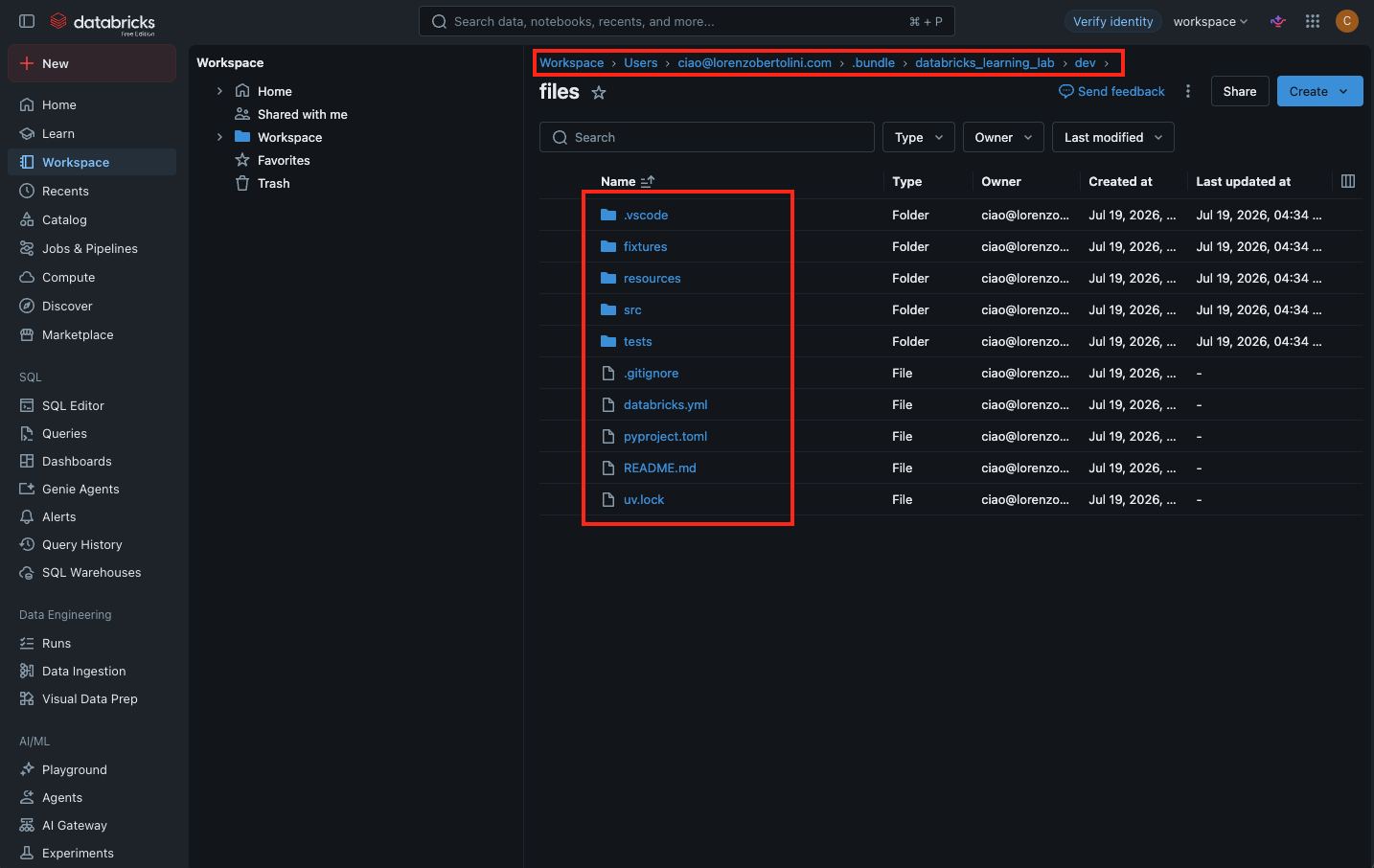
Deployed Databricks resources and personal development workspace
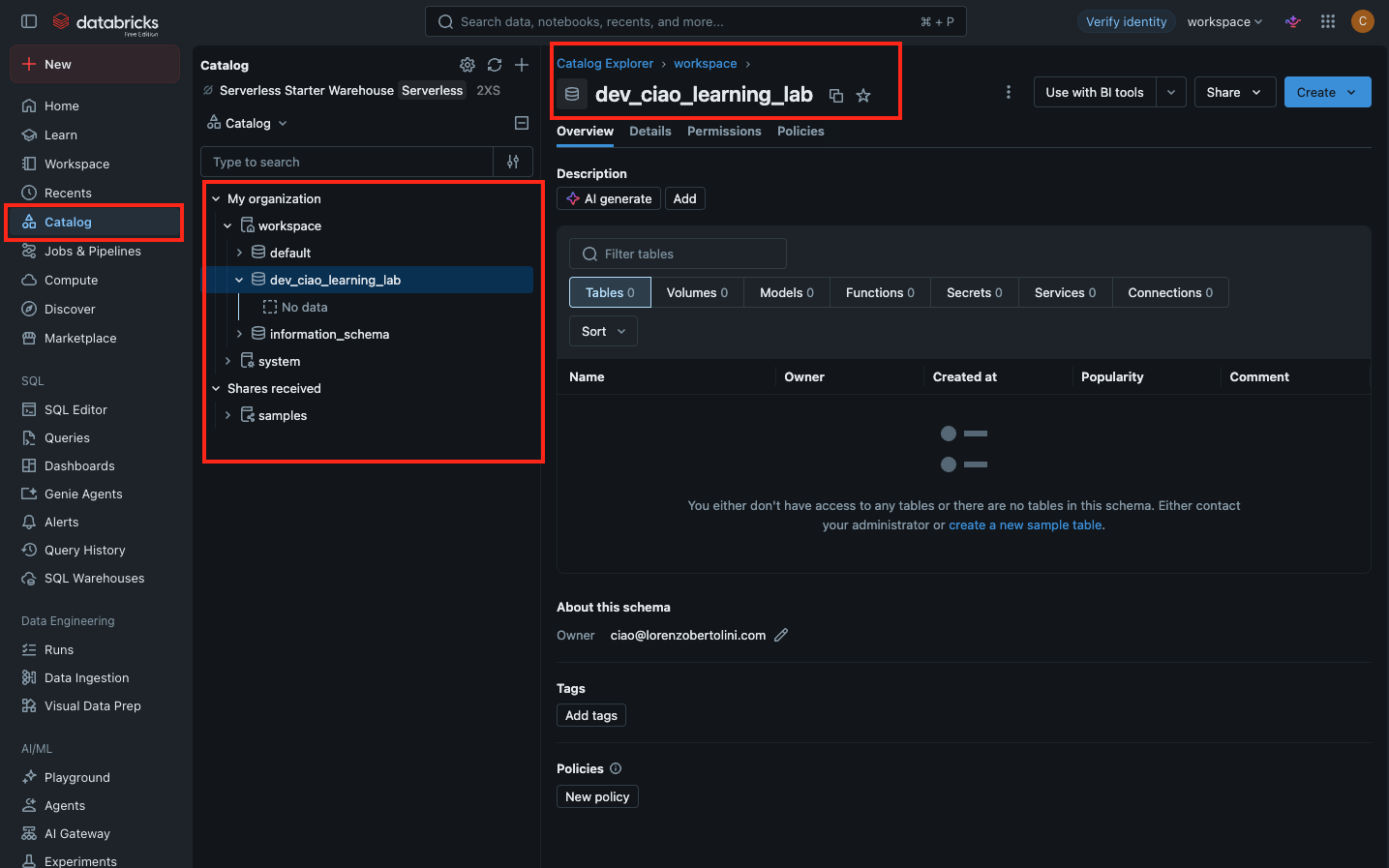
Deployed Databricks development schema
Run the Job from the CLI
First, list the deployed Jobs and Lakeflow Pipelines to confirm that the bundle resources are available in the workspace:
> databricks jobs list
197336749982436  [dev ciao] sample_job
Trigger the job with one command:
> databricks bundle run sample_job
Run URL: https://dbc-48492af9-86cb.cloud.databricks.com/jobs/197336749982436/runs/871838328061998?o=7474660454541192

2026-07-19 17:03:25 "[dev ciao] sample_job" RUNNING
The command prints a direct Run URL and waits for the Job to finish. The same execution can be inspected in the Databricks web application:
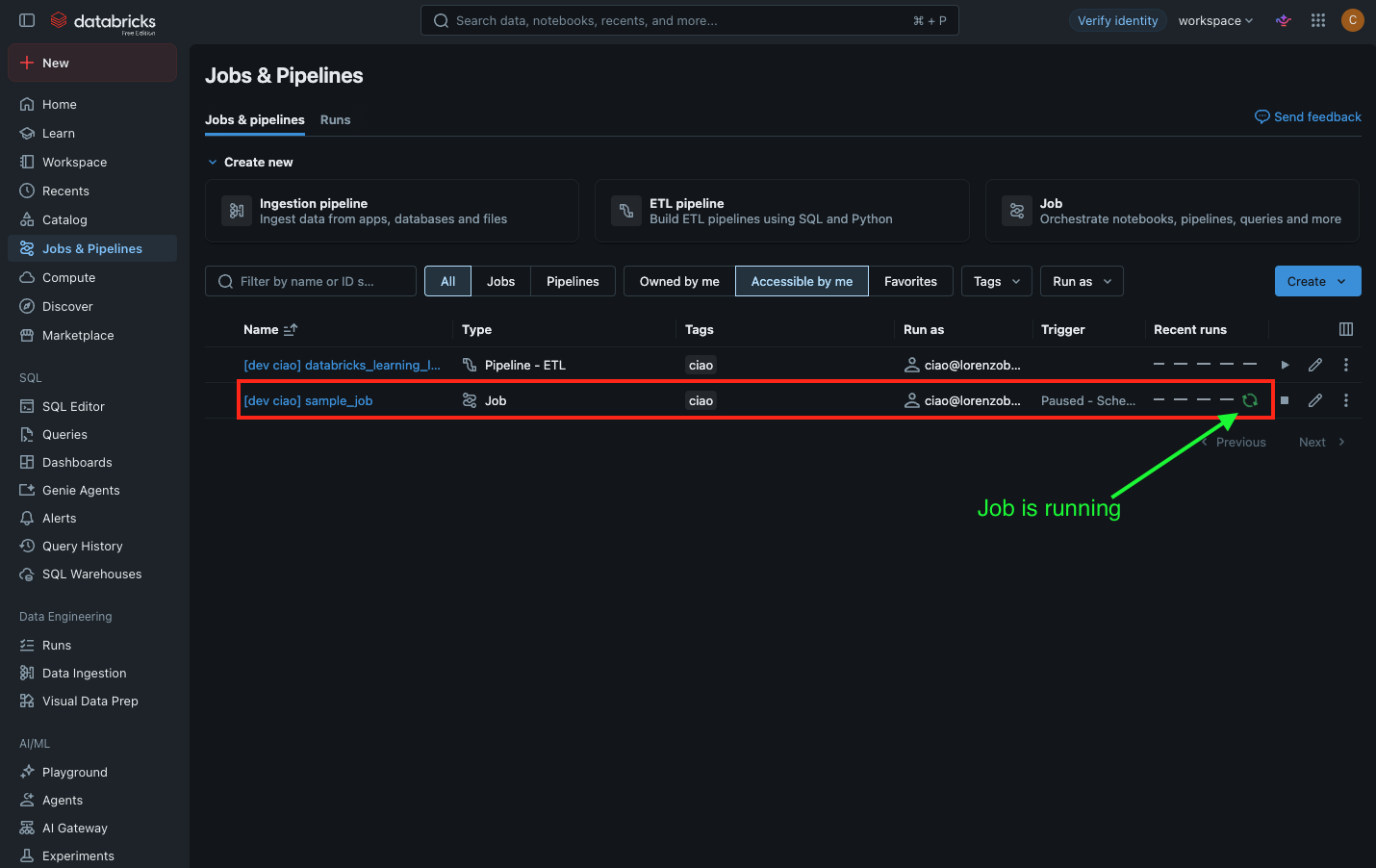
Databricks Job running in the web application
Once execution completes, the CLI reports a successful termination and prints the output of each task. A typical successful run looks like this:
> databricks bundle run sample_job
Run URL: https://dbc-48492af9-86cb.cloud.databricks.com/jobs/197336749982436/runs/871838328061998?o=7474660454541192

2026-07-19 17:03:25 "[dev ciao] sample_job" RUNNING
2026-07-19 17:06:22 "[dev ciao] sample_job" TERMINATED SUCCESS
Output:
=======
Task notebook_task:

=======
Task python_wheel_task:
+--------------------+---------------------+-------------+-----------+----------+-----------+
|tpep_pickup_datetime|tpep_dropoff_datetime|trip_distance|fare_amount|pickup_zip|dropoff_zip|
+--------------------+---------------------+-------------+-----------+----------+-----------+
| 2016-02-13 21:47:53|  2016-02-13 21:57:15|          1.4|        8.0|     10103|      10110|
| 2016-02-13 18:29:09|  2016-02-13 18:37:23|         1.31|        7.5|     10023|      10023|
| 2016-02-06 19:40:58|  2016-02-06 19:52:32|          1.8|        9.5|     10001|      10018|
| 2016-02-12 19:06:43|  2016-02-12 19:20:54|          2.3|       11.5|     10044|      10111|
| 2016-02-23 10:27:56|  2016-02-23 10:58:33|          2.6|       18.5|     10199|      10022|
+--------------------+---------------------+-------------+-----------+----------+-----------+
only showing top 5 rows
The following screenshot shows the same successful CLI-triggered run as displayed in the Databricks web UI:
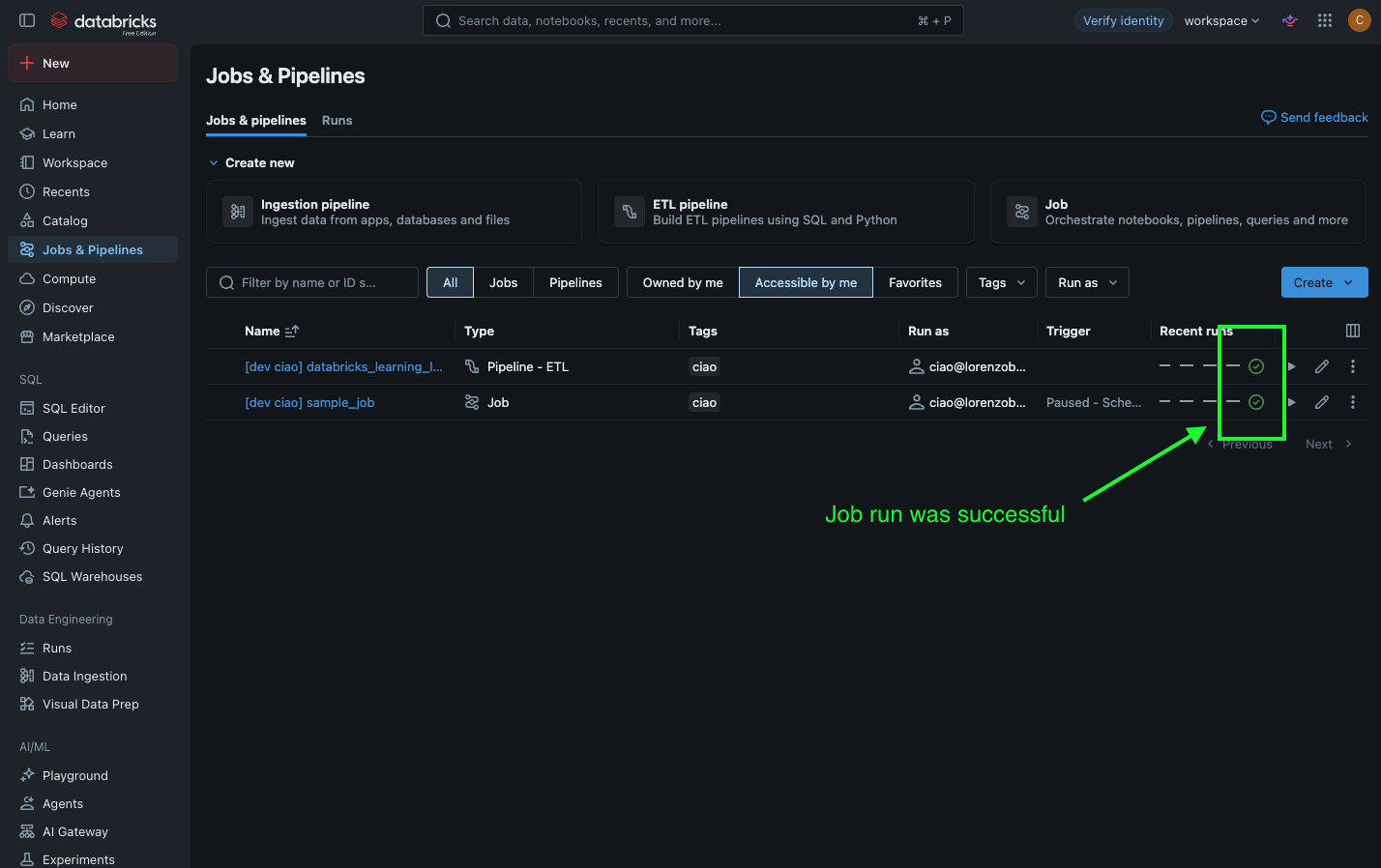
Successful Job execution in the Databricks web UI
Why uv Instead of pip, requirements.txt, Black, and Pylint?
Traditional Python projects often combine
venv, pip, requirements.txt, Black, isort, and Pylint. This project uses uv and Ruff to simplify that toolchain.- uv: creates the virtual environment, resolves dependencies, installs the project, and maintains a reproducible lock file.
- Ruff: handles fast linting, import checks, and formatting in one tool.
- pyproject.toml: keeps package metadata, development dependencies, build settings, and tool configuration in one place.
The result is a faster and more reproducible development setup than a collection of loosely connected requirements files and formatting tools.
Closing Remarks
This repository is intentionally small, but it demonstrates the core pieces of a modern Databricks workflow: local development, Python packaging, reproducible dependencies, automated Spark tests, infrastructure as code, isolated developer environments, and CLI-based deployment.
The complete code is available on GitHub. Clone it, check out the tagged version, connect it to your own Databricks workspace, and use it as a starting point for your next data engineering project. ∎
You’re into data design too?Then let’s connect on LinkedIn and exchange thoughts on
data, design, and visual storytelling.
data, design, and visual storytelling.